Asheville, North Carolina
Fernandes Family Reunion
Fri, Aug 14 – Sun, Aug 16, 202612 people
Day 2 of 3, Now: Blue Ridge Parkway hike (Craggy Gardens), Receipt from The Farmhouse Table needs review
For groups who travel together
What’s next. Where to go. What you owe.Your group’s itinerary, booking details and shared expenses, together in one trip.
Create an account to get started. Guests join from a link — no account needed.
Example tripDay 2Today
Asheville, North Carolina
Fernandes Family Reunion
Day 2 of 3, Now: Blue Ridge Parkway hike (Craggy Gardens), Receipt from The Farmhouse Table needs review
Our seeded demo plan — a fictional family. Every screen on this page is this one trip.
Right now the trip is in one person’s inbox, on another’s laptop, somewhere in the group chat, on the back of a receipt, and in a spreadsheet.
ChipInPlan keeps it as one trip — the days, the places, the people and the money, read from the same records. Everyone opens the same trip; nobody has to ask.
During the trip
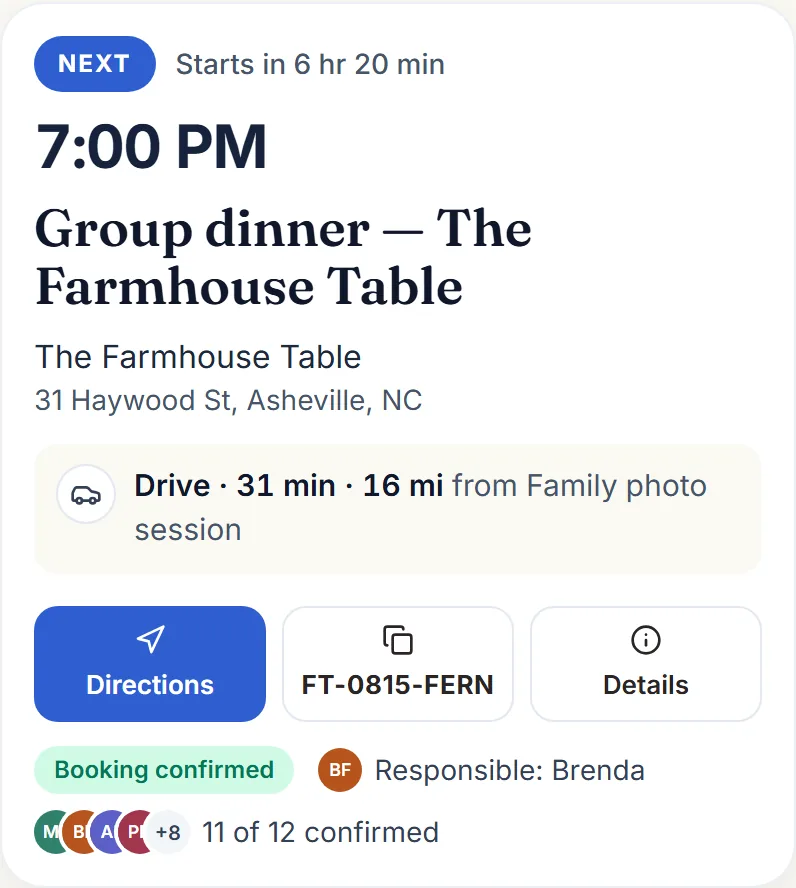
Every day is a chapter, every stop a scene, and the travel between them is written on the rail. The booking, the reference, who’s responsible and who’s coming sit on the stop itself — and when the day has a problem, it says so where it happens.
Day 2
3 stops1 booked76 min of travel over 16 mi
Stop 1: 9:30 AM – 1:00 PMNow
Blue Ridge Parkway hike (Craggy Gardens)
Craggy Gardens Trailhead · Blue Ridge Pkwy MP 364
Conflict: James Whitfield is responsible for “Blue Ridge Parkway hike (Craggy Gardens)” and “Family photo session” at the same time on 2026-08-15
Stop 2: 12:30 PM – 1:30 PM
Family photo session
Craggy Gardens overlook
Stop 3: 7:00 PMNext
Group dinner — The Farmhouse Table
The Farmhouse Table · 31 Haywood St, Asheville, NC
Times are Asheville time (America/New York). Travel times are the trip’s own figures, road routes or estimates — a duration, not a time to leave.
Honest about places. A stop the map can’t place with confidence asks you which one you meant — it never pins a guess.
On the day, Today leads. Open the trip on your phone and the first thing you see is what’s next, where it is, and how to get there — with the booking reference one tap from the clipboard.
A published plan shows the days and places — never anyone’s balance or email.
At the table
The items come off the receipt and everyone taps theirs — the sangria to the four who drank it, the cornbread to the whole table. The numbers are checked against the printed subtotal, and if they disagree, ChipInPlan says so and waits rather than posting a guess.
Scanned on your phone, reviewed by a person. Low-confidence reads are flagged; a scan is a draft, never a posted expense.
One tap for the usual cases. Everyone, the adults, or exactly the people who shared it — unequal shares when someone only had a bite, and the tax, tip and alcohol go where they belong.
Just here for the bill?
Start with a receipt. Scan it, tap who had what, settle up — a trip is optional.
Split a billCreate an account to get started.
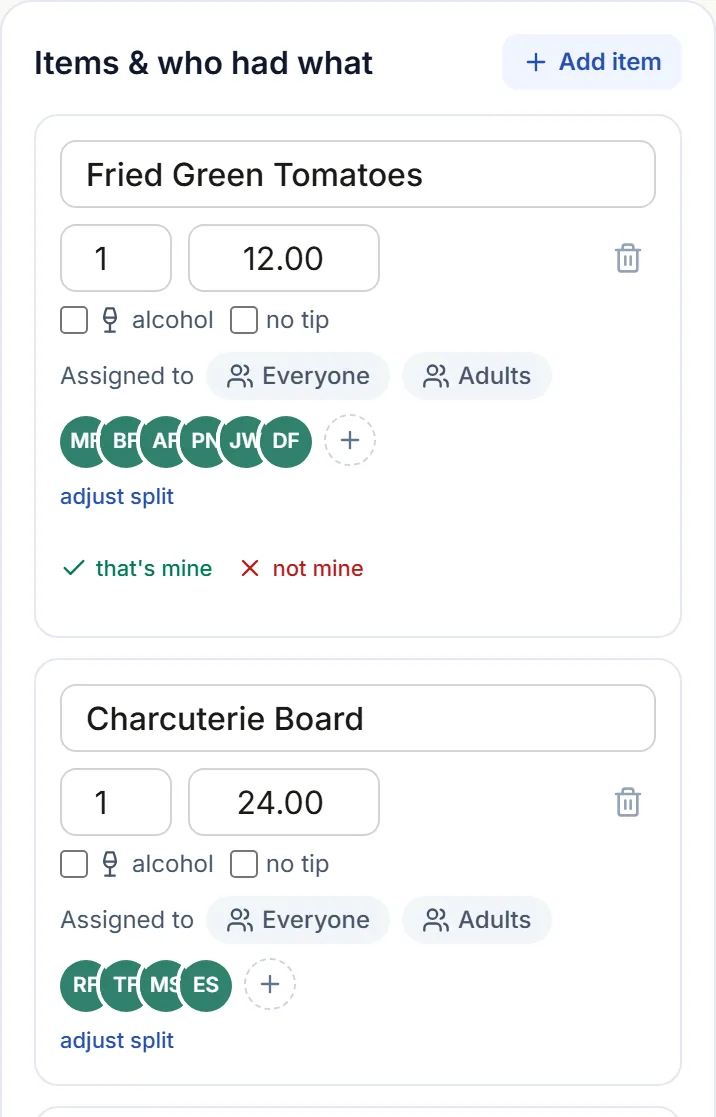
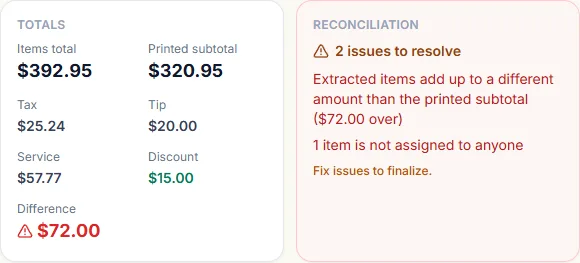
Paid by Brenda · scanned at 84% confidence · items $392.95 against a printed subtotal of $320.95. Nothing reaches anyone’s balance until a person resolves the $72.00 difference.
After the trip
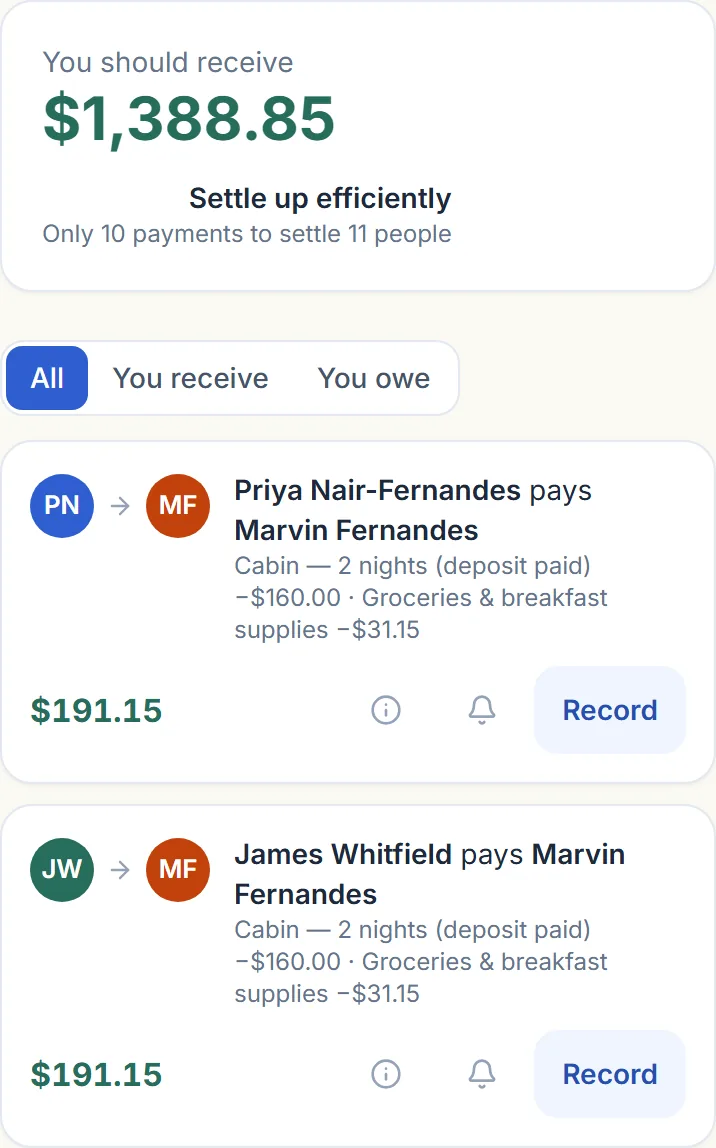
Everyone’s share of everything becomes one short list of who pays whom, and every payment shows the expenses behind it — so nobody takes a number on faith. ChipInPlan records what people report. It never moves money.
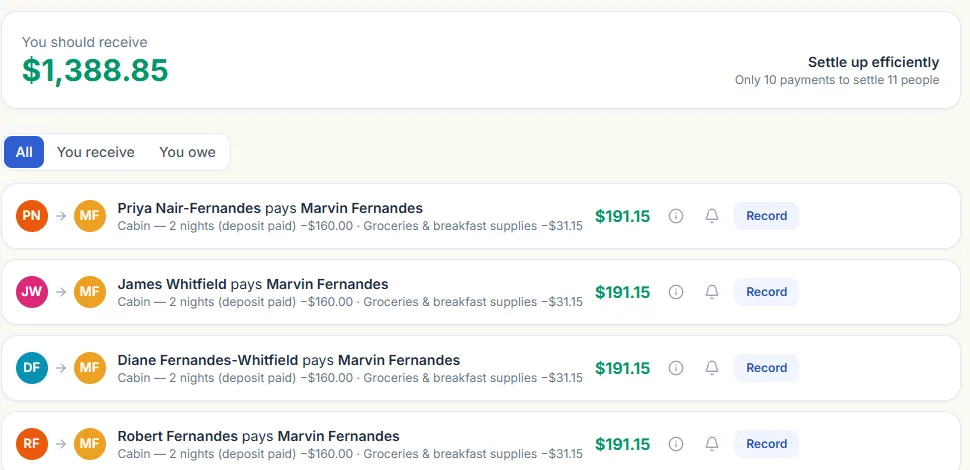
Pending → marked paid → confirmed. A dispute needs a note. Nothing is silently corrected — every change to money is recorded with a reason.
Send it as-is. Export the who-owes-what as CSV, or paste the settlement into the group chat — the one message that ends the thread.
You pay each other. ChipInPlan calculates the amounts and keeps the records. There is no wallet, no payment rail, and nothing that touches a bank account.
Before the trip
Describe the trip in a sentence, or type in what’s already booked. ChipInPlan drafts the plan and shows its work — what you said, what it worked out, and what it still needs to ask. Nothing is created until you say so.
Draft title: Reunion in Asheville, North Carolina — Aug 14–16
Still to answer
Answer these by editing the fields above — I won’t guess.
Money apps tend to imply more than they do. Every line here is a rule in the code, not a slogan.
We never move your money.
No wallet, no payment rail, nothing that can touch a bank account. ChipInPlan records what people report.
Missing details stay visible.
A stop that isn’t booked says so. A travel time that’s an estimate says so. Nothing is filled in to look finished.
AI drafts. People decide.
The assistant answers from your trip’s own records and proposes drafts you confirm. It never finalizes, books or sends anything — and everything here works without it.
Private by default.
Documents, photos and balances are visible only to the trip’s members; a published link carries no balances or emails. Export everything as JSON, or delete your account, from Settings.
One trip the whole group can open — the plan, the details and the shared costs.
Create an account to get started · Guests join from a link